It listens first.
Pick a preset, play your track, and five seconds later it has set itself to do what the preset's name says. Then hit COMPARE and hear your original at the same loudness.
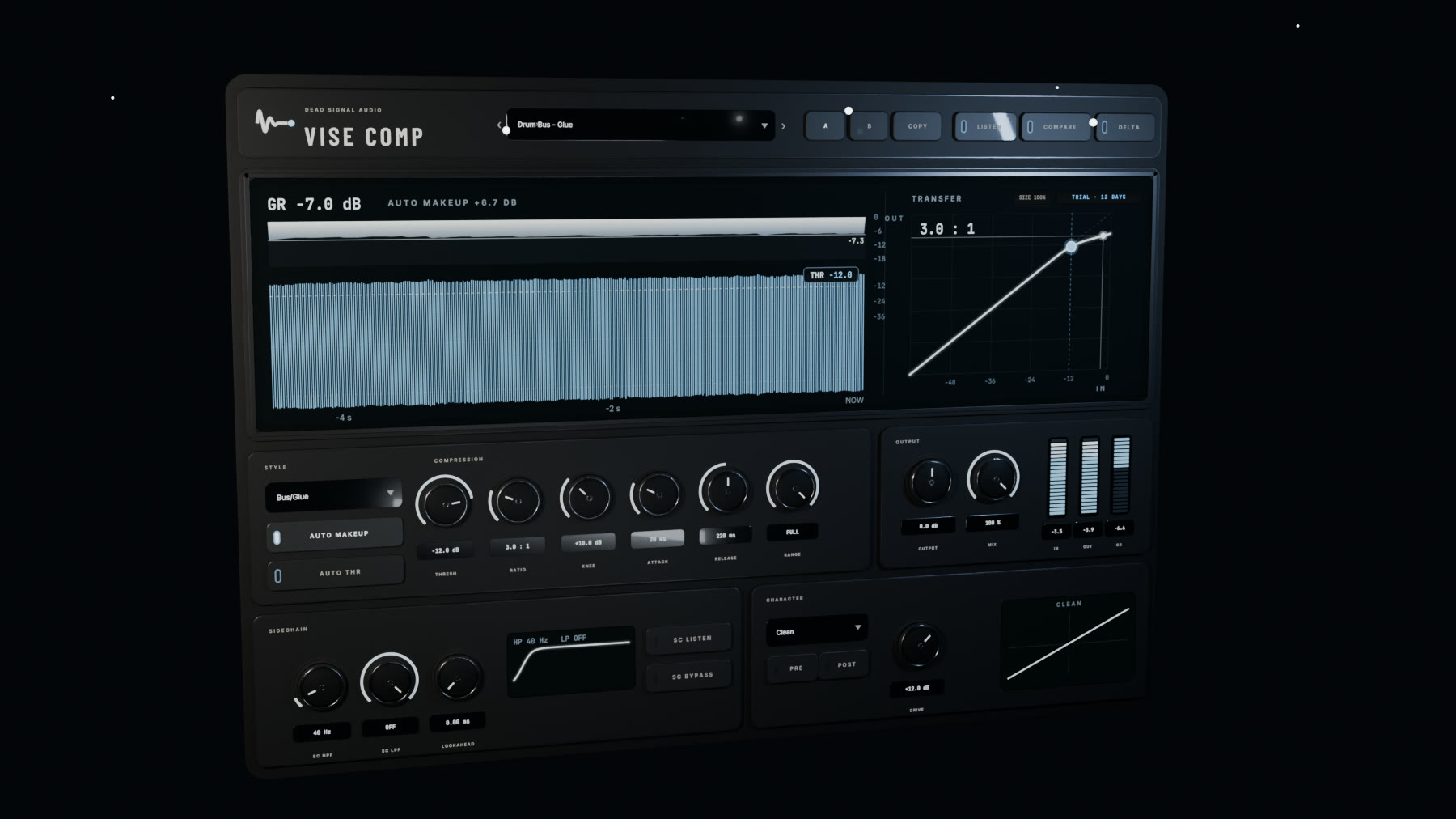
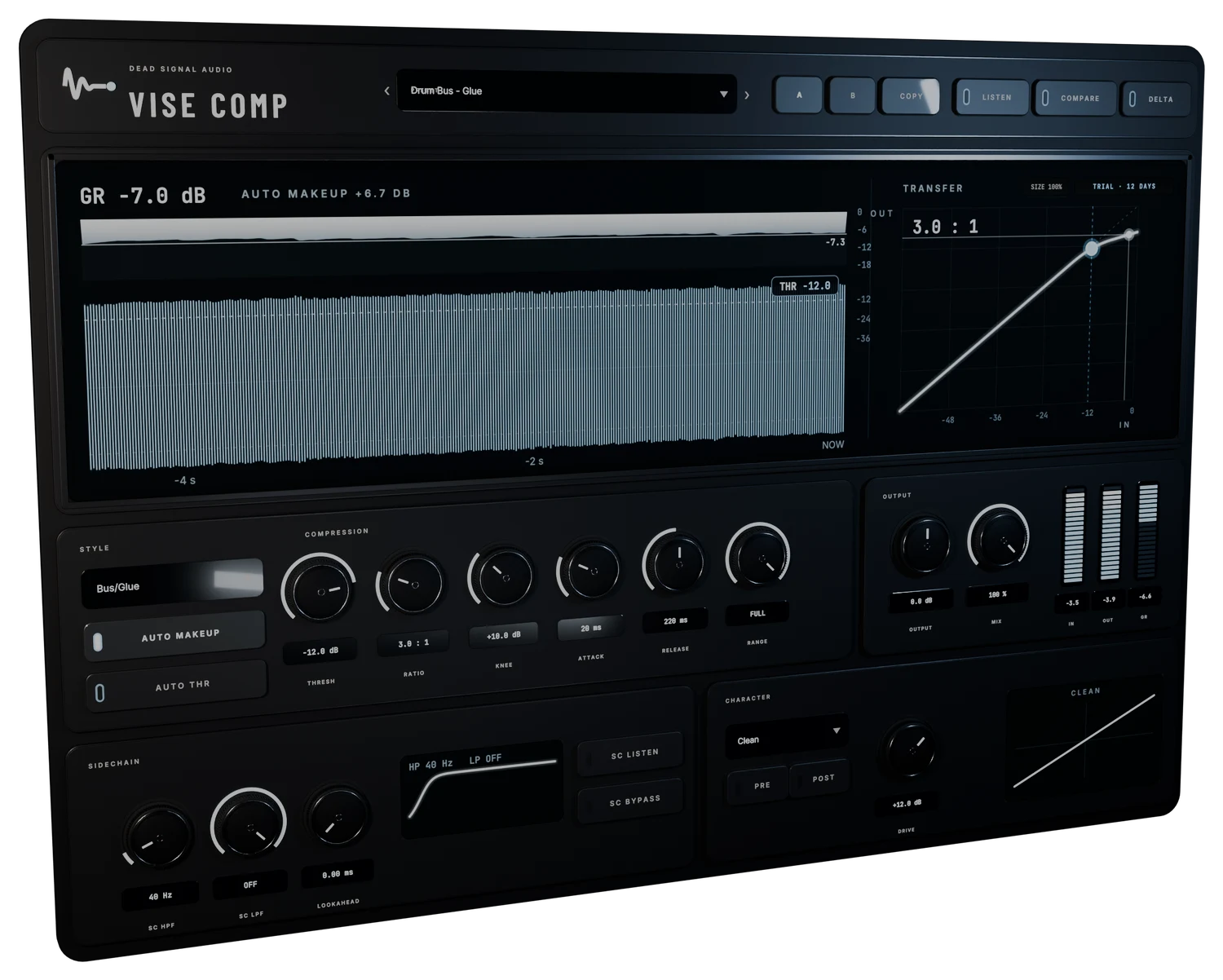
The gain reduction, hanging from the top.
The input as a fill, the output as a glowing line, and the gain reduction as a second curve with the threshold across it. The transfer curve sits beside it.
Six ways to squeeze.
Each style has its own timing and character. Add analog-style harmonics before or after the compressor, 16x oversampled so the top end stays clean.
Judge the sound, not the volume.
COMPARE plays your original at the same loudness as the output. DELTA plays only what the compressor is taking off, so you can hear exactly what it is doing.
Lifetime free updates
Buy a license and every future update of Vise Comp is free.
Try it before you buy
A free 14-day trial of the full plugin, and a 14-day refund if it is not for you.
Mac and Windows together
Every release ships on both. Mac: Audio Unit, VST3 and AAX for Pro Tools. Windows: VST3.
Get Vise Comp
Buy Vise Comp
Plus sales tax where it applies. Your total shows before you pay.
Lifetime free updates: every future update of Vise Comp is free.
Secure checkout by Paddle. Tax is added for your location before you pay. Your license key appears as soon as payment clears.
Try it first: Mac trial · Windows trial · Pro Tools (AAX), Mac only (email needed). Full plugin for 14 days, then it is silent until you unlock it. Install help
Launch news
An email the day each release comes out, plus a free mixing cheat sheet.
Videos
Buy once. Every future update is free.
Buy a license for Vise Comp and every future update of it is free, for good. No upgrade fees, no subscription.
More details, demos and measurements
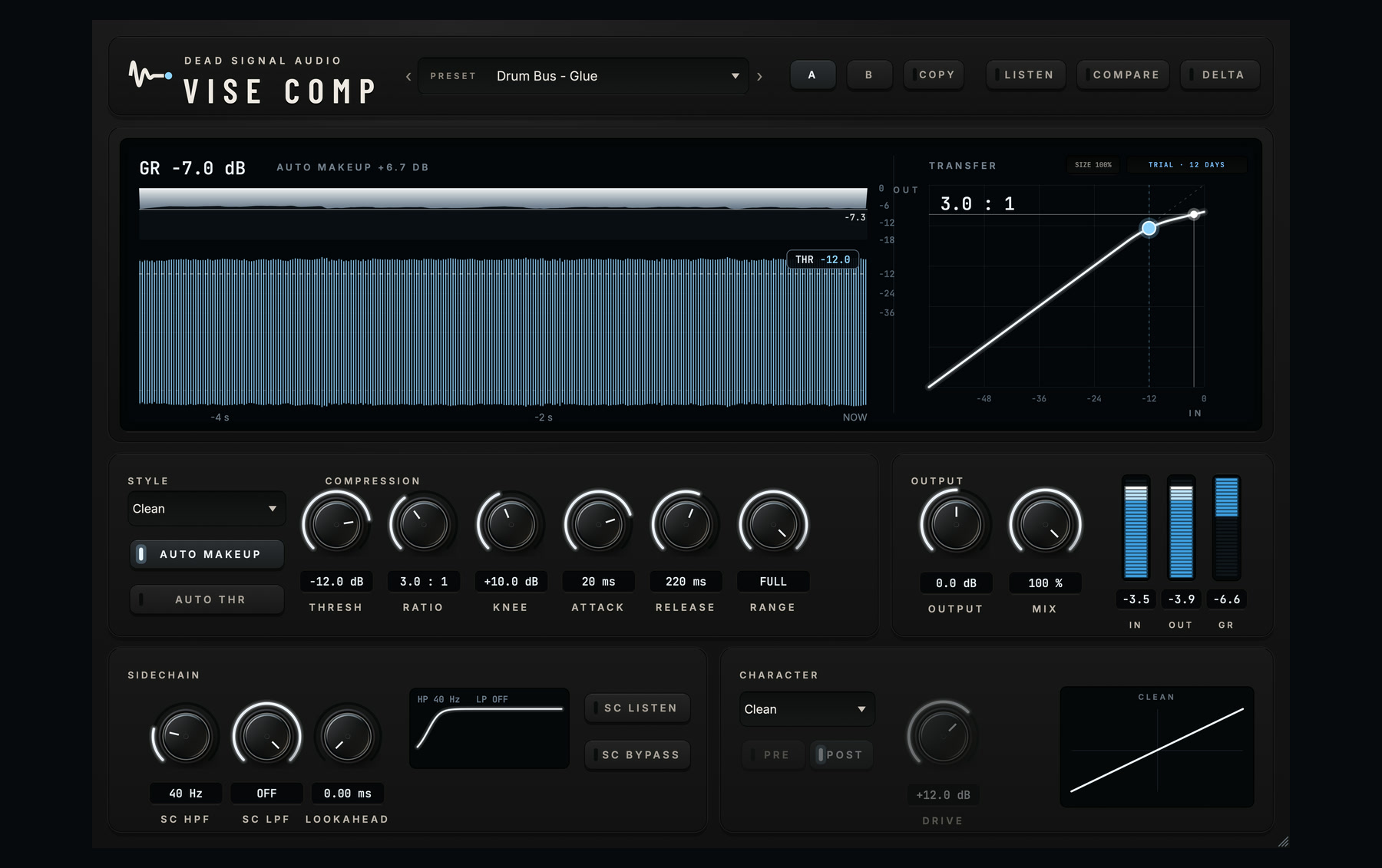
The gain reduction, hanging from the top.
The input as a fill, the output as a glowing line, and the gain reduction as a second curve with the threshold across it. The transfer curve sits beside it.
Six ways to squeeze.
Each style has its own timing and character. Add analog-style harmonics before or after the compressor, 16x oversampled so the top end stays clean.
Judge the sound, not the volume.
COMPARE plays your original at the same loudness as the output. DELTA plays only what the compressor is taking off, so you can hear exactly what it is doing.
Raw drums in. Glued, not flattened.
Twelve seconds of a track, then through the Drum Bus - Glue preset. It averages about 1.5 dB of gain reduction and touches 3.9 dB on the hardest hits, so you hear the hold, not squash. Hit play and flip between them.
Pick a preset.
It listens first.
LISTEN
Every preset knows how hard it should work. Vise hears five seconds of your track (silence doesn't count) and sets the threshold so the loud parts get exactly that. Turn the threshold yourself and it's yours again.
COMPARE and DELTA
One click plays your original at the same loudness as the output. Louder always sounds better for a second. COMPARE takes that trick away. DELTA plays only what the compressor is taking off, so you can hear exactly what it is doing.
Makeup that doesn't lie
Auto makeup matches how loud it sounds, not how much it took off, so switching it in doesn't jump the level on you.
See it
The input as a fill, the output as a glowing line, and the gain reduction hanging from the top like a second curve, with the threshold as a line across it. The transfer curve sits beside it, and a line tells you in words what LISTEN and COMPARE are doing.
Auto Threshold
Switch it on and the threshold follows the loud level of your track, so the same reduction happens whether you are louder or quieter. The line on the display shows where it has moved to.
Six styles
Clean, Classic, Opto, Punch, Bus/Glue and Mastering, each with its own timing and character.
CHARACTER and DRIVE
Clean adds nothing. Gentle, Warm and Drive add analog-style harmonics, before or after the compressor, 16x oversampled so the top end stays clean.
Range and parallel mix
Cap the most it can ever take off, and blend the dry signal back in, for weight without flattening.
Sidechain you can see
Up to 10 ms of lookahead, a sidechain high-pass and low-pass drawn so you can see what it is listening to, SC LISTEN, SC BYPASS, and an external sidechain input for ducking.
112 presets, in a real preset window
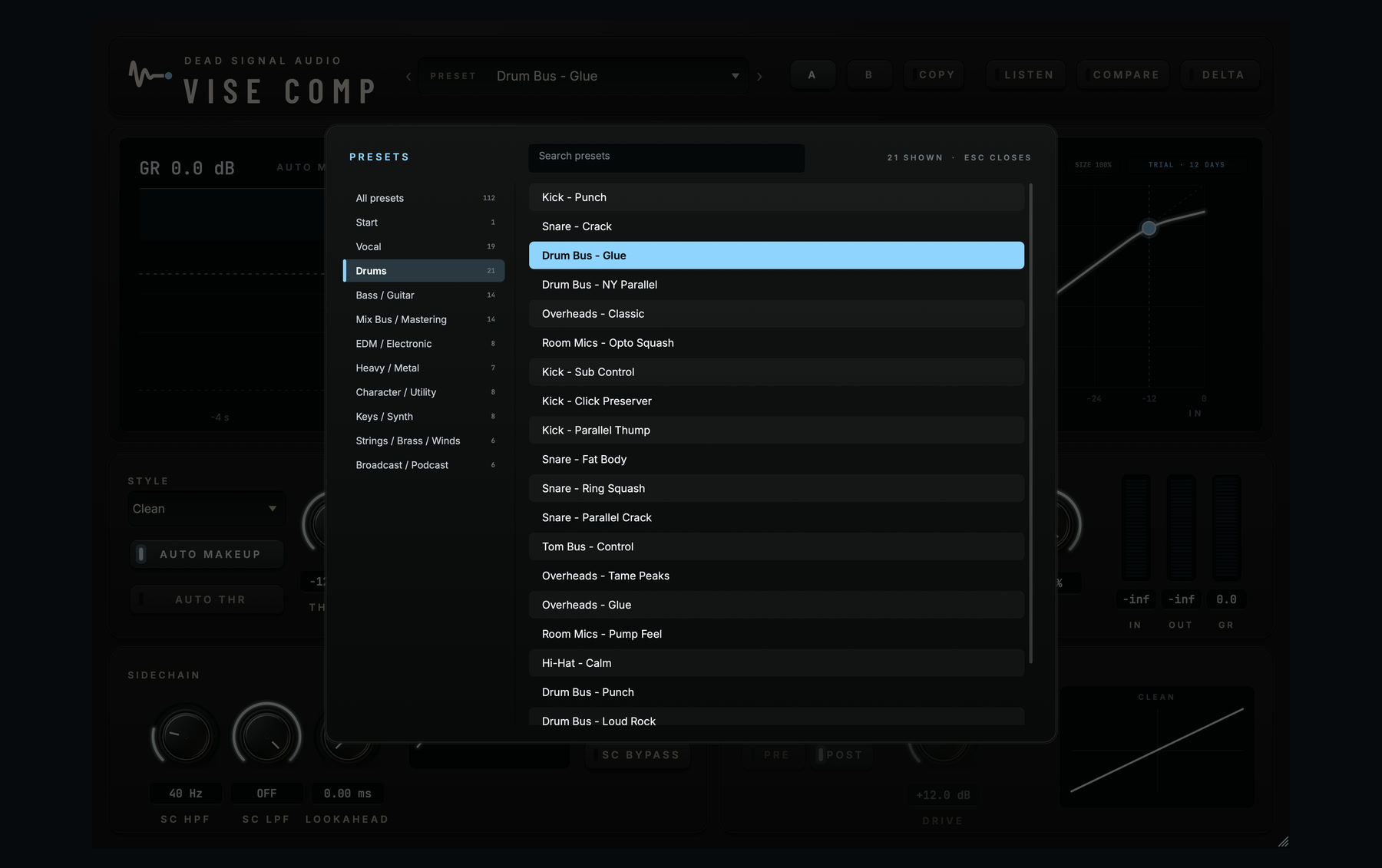
Categories on the left, the list on the right, search on top and arrow keys to step through. Vocals, drums, bass and guitar, keys, strings and brass, mix bus and mastering, podcast, EDM and heavy, plus A and B to compare two settings. Ratio 1:1 to 20:1, knee to 24 dB, attack 0.1 to 100 ms, release 10 ms to 2 s.
- Presets that actually do something. On raw drums from one of our songs, the Drum Bus - Glue preset at its saved threshold, the way compressor presets normally work, did nothing: 0.1 dB. After LISTEN it took 3.6 dB off the hits, right around the 3 dB the preset is built for. On a full mix, Mix Bus - Gentle Glue went from 0.1 dB to 2.1.
- Makeup you can trust. On a sung vocal, adding back the gain reduction (the usual auto makeup) came out up to 3 dB quieter than the original. Vise matches loudness instead: within 1 dB on every vocal, drum, bass and guitar track we tried.
- Measured, not guessed. On raw drums from one of our songs, the Kick - Punch preset (after LISTEN) let the attack through: the hits stood out 2.9 dB more (peak to loudness 15.2 to 18.1 dB) at the same loudness.
- Auto Threshold holds the reduction steady. In our test, after the level of a tone dropped 12 dB, the reduction stayed at 9.0 dB with Auto Threshold on. Without it, the quieter tone sat under the threshold and nothing happened.
- Same look as the rest of the paid line. If you know Vantage, you already know where everything is.
Vise Comp is included in
Information
Requirements
Mac: macOS 12 or newer, Apple Silicon or Intel.
Windows: 64-bit Windows 10 or 11.
Plug-in formats
Mac: Audio Unit, VST3 and AAX (Pro Tools).
Windows: VST3.
Windows AAX is not available yet.
Updates
Lifetime free updates: every future update of Vise Comp is free. Changelog
Trial and refund
A free 14-day trial, then a one-time price. 14-day refund, no questions asked. Refund details