Reclaim
Clean up the recording. See what it found.
Reclaim finds the noise, hum, clicks and crackle in a recording, marks them on the screen, and takes them out. Hit FIX ALL, or set each repair yourself and listen to what it took away.
$69 $89 launch week price14-day free trial14-day refund
1,500+ downloads of our five free plugins and 410+ producers on the list
Out now · Mac + Windows
It shows what it found.
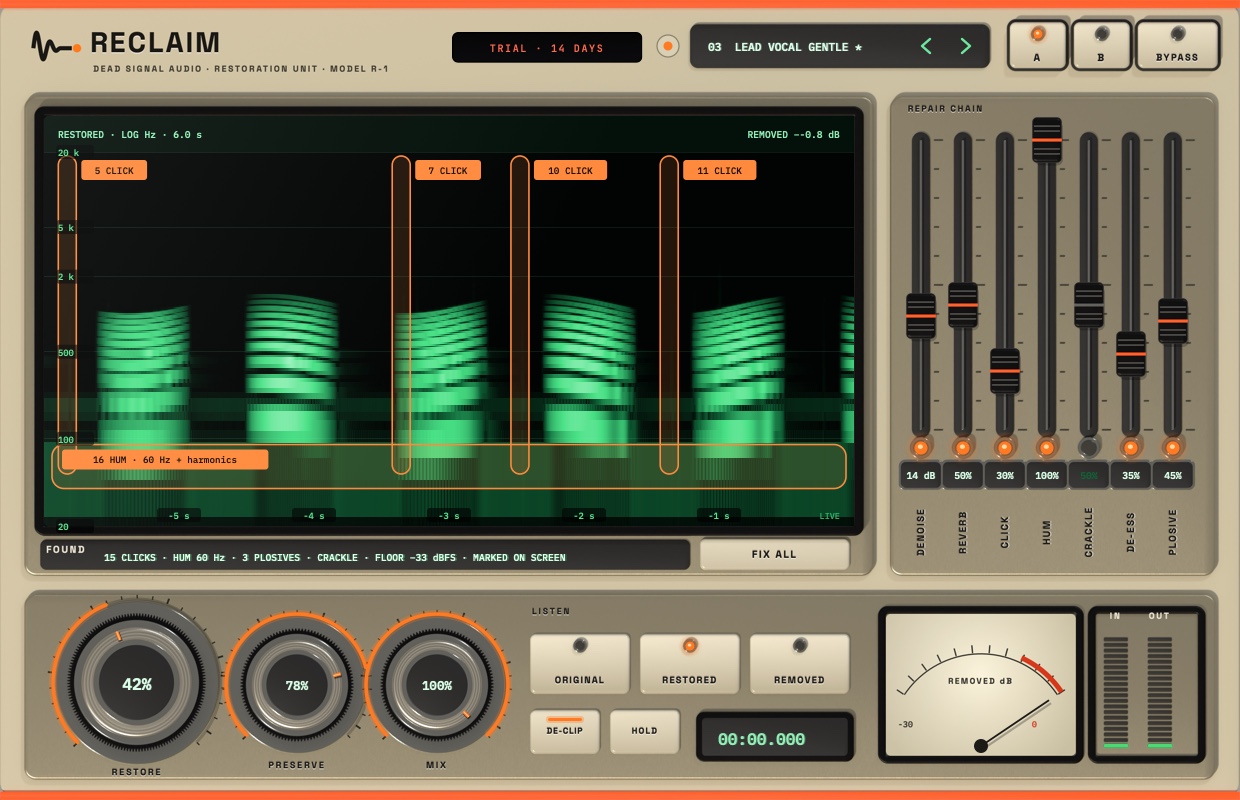
A live spectrogram marks every click, the hum and its harmonics, and the plosives, and a line under it lists what it found. REMOVED plays only what it took out, so you can judge the repair.
Marked on the screen.
Reclaim analyses the audio as it plays and marks clicks, hum, crackle and plosives on the spectrogram. The FOUND line lists them in plain words, and FIX ALL switches on the repairs that apply.
Seven faders, each with its own switch.
Denoise, reverb, click, hum, crackle, de-ess and plosive each get a fader and a power switch. De-clip repairs clipped peaks, and RESTORE, PRESERVE and MIX set how hard it works and how much of the original stays.
Hear what it took out.
ORIGINAL, RESTORED and REMOVED are one click apart, with an A/B and a bypass. The REMOVED meter shows how much came out. Start from one of 56 presets, such as Lead Vocal Gentle or Salvage Low Quality, then adjust.
In hosts that support ARA2.
When your DAW supports ARA2, Reclaim works on the whole recording at once, plays back with no added latency, and keeps your spectral repairs inside the project file.
Everything inside.
The details, the demos and the numbers we measured.
Find it. Fix it.
Hear what it took.
Found
A live spectrogram marks clicks, hum and its harmonics, crackle and plosives. A line under it lists what it found, and FIX ALL switches on the repairs that apply.
Denoise
Takes steady noise out of a recording. RESTORE sets how hard it works and PRESERVE protects the wanted sound.
Reverb
Pulls back the room in a recording that was made in the wrong space.
Click and crackle
Finds clicks and crackle and repairs the gap, instead of filtering the whole recording.
Hum
Finds the hum, such as 50 or 60 Hz and its harmonics, and removes it.
De-ess and plosive
Tames harsh S sounds, and cuts the low thump of a plosive without thinning the rest of the voice.
De-clip
Repairs peaks that were flattened by a recording that went too hot.
Listen
ORIGINAL, RESTORED and REMOVED are one click apart. REMOVED plays only what came out, so you can hear if it took something it should not have.
56 presets
Starting points in categories, such as Lead Vocal Gentle and Salvage Low Quality. Save your own, and flip between two settings with A/B.
Whole file in ARA2 hosts
In a DAW that supports ARA2, Reclaim works on the whole recording, plays back with no added latency and keeps your spectral repairs in the project.
What we tested.
| Test | Result |
|---|---|
| Default preset: output vs input | identical |
| All 56 presets: loads what it says, survives a project save | tested, every one |
| Trial | 14 days, full plugin |
Made in one studio,
tested on real mixes.
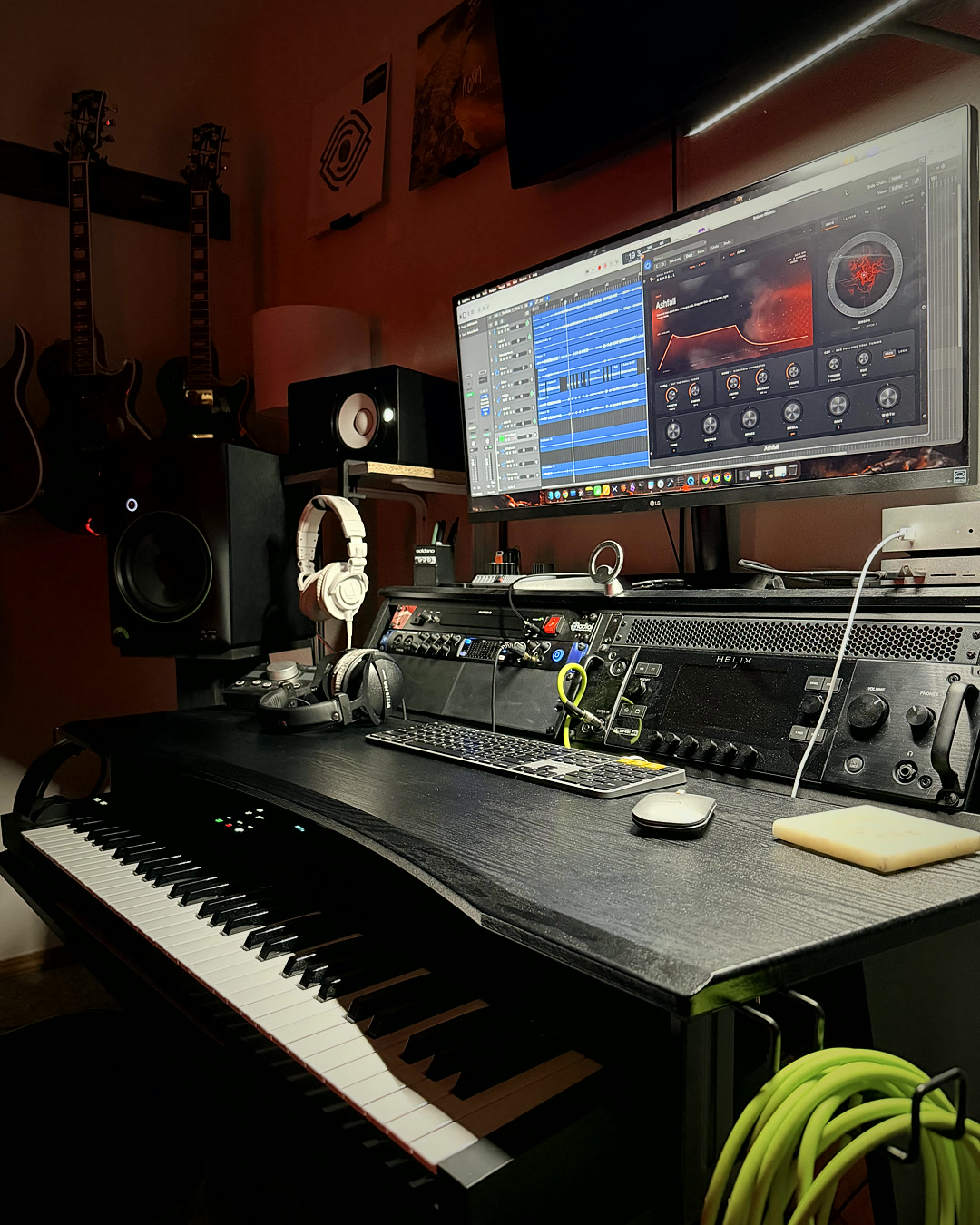
Every Dead Signal plugin is built, mixed with and listened to here before it ships, then backed by a 14-day refund, plus a 14-day free trial on the main paid plugins.
Reclaim is out now.
Reclaim is out now for Mac and Windows: $89 ($69 through November 15). Try it free for 14 days first, and if it isn't for you, get your money back within 14 days. Not ready yet? Join the list for deals and new releases.
SANDBOX CHECKOUT: test mode, no real money
Secure checkout by Paddle. Your license key appears as soon as payment clears.
Try it first: Mac trial · Windows trial (email needed). Full plugin for 14 days, then it is silent until you unlock it. Install help